Everything a long-form writer actually needs
Not a generic editor with a feature list bolted on. Every piece here answers something writers who've been burned before actually worry about, from losing a draft to being boxed into one AI vendor. Below is a longer look at every feature, with a concrete example and a short list of advantages for each.
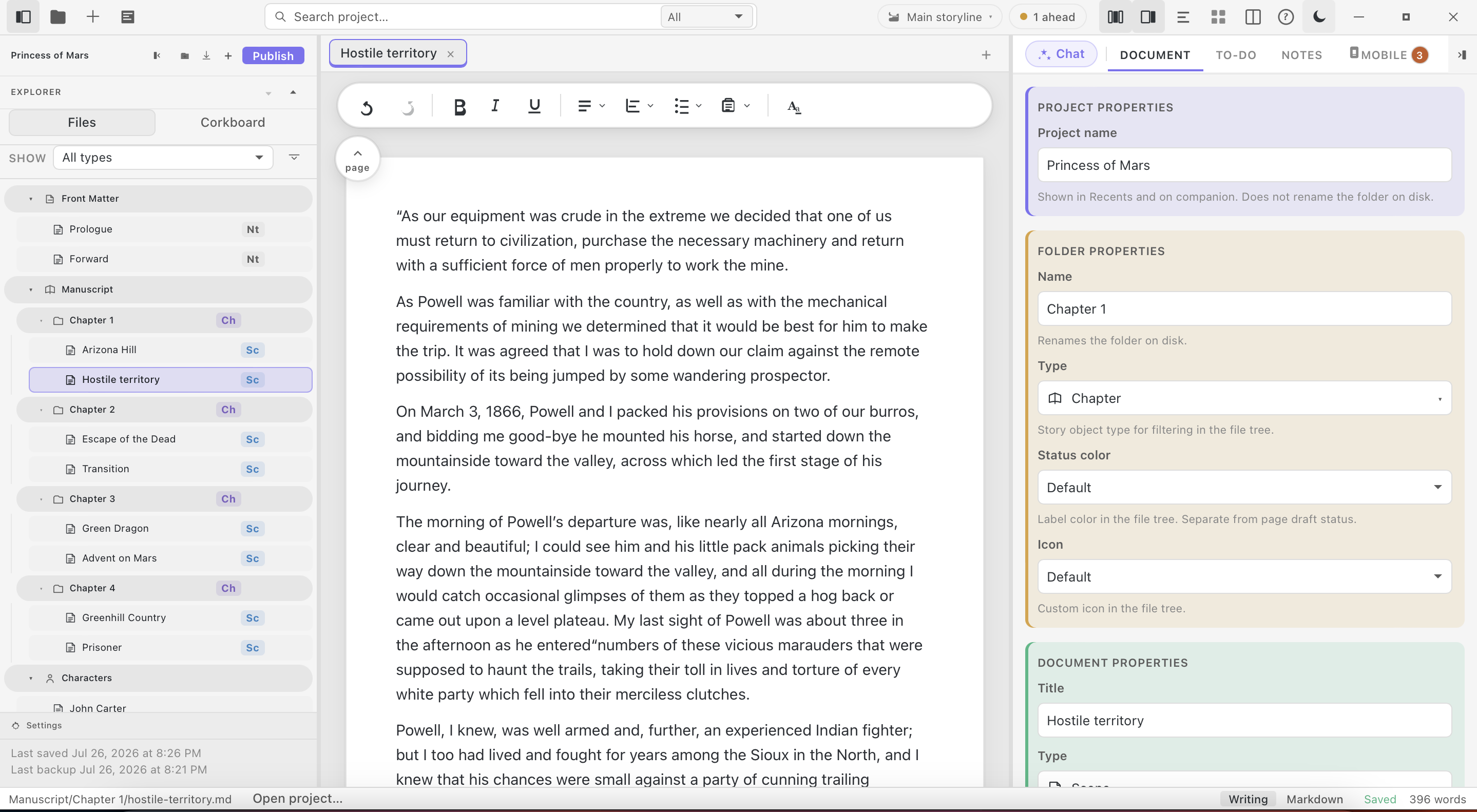
Manuscript editor
Import
Bring your manuscript exactly as it is
Import directly from Scrivener, Microsoft Word, and other formats. Nothing is reformatted, and nothing about the file you started with is altered. What you wrote is what shows up.
Most editors that promise to import a Scrivener project quietly flatten your folder structure or strip your metadata. StelaWare reads the project the way Scrivener itself does, chapters, folders, labels, and all, so the move takes minutes instead of a weekend of cleanup.
Import a 90,000 word novel built in Scrivener with 30 chapters split across three parts. Every part, chapter, and scene folder appears in StelaWare in the same order, with the same titles, on the very first open.
- No manual reformatting after import.
- Works with Scrivener, Word, and plain Markdown today.
- Nothing is silently converted to a proprietary format on the way in.
Ownership
You own your files, period
Every StelaWare project is plain files, sitting on your own disk. Nothing is locked into a proprietary format, encrypted, or gated behind an account. You can read your own work with or without StelaWare installed.
There is no server StelaWare needs to reach to open your project. If the company disappeared tomorrow, every file you wrote would still open in a plain text editor, because that is exactly what it already is.
Move a project folder to a new laptop with a USB drive. No export step, no account migration, no waiting on a cloud sync. Open StelaWare, point it at the folder, and keep writing.
- Every project is plain files on your own disk.
- No account required to read your own work.
- Nothing encrypted or gated behind a login.
Backups
Automatic, regular backups
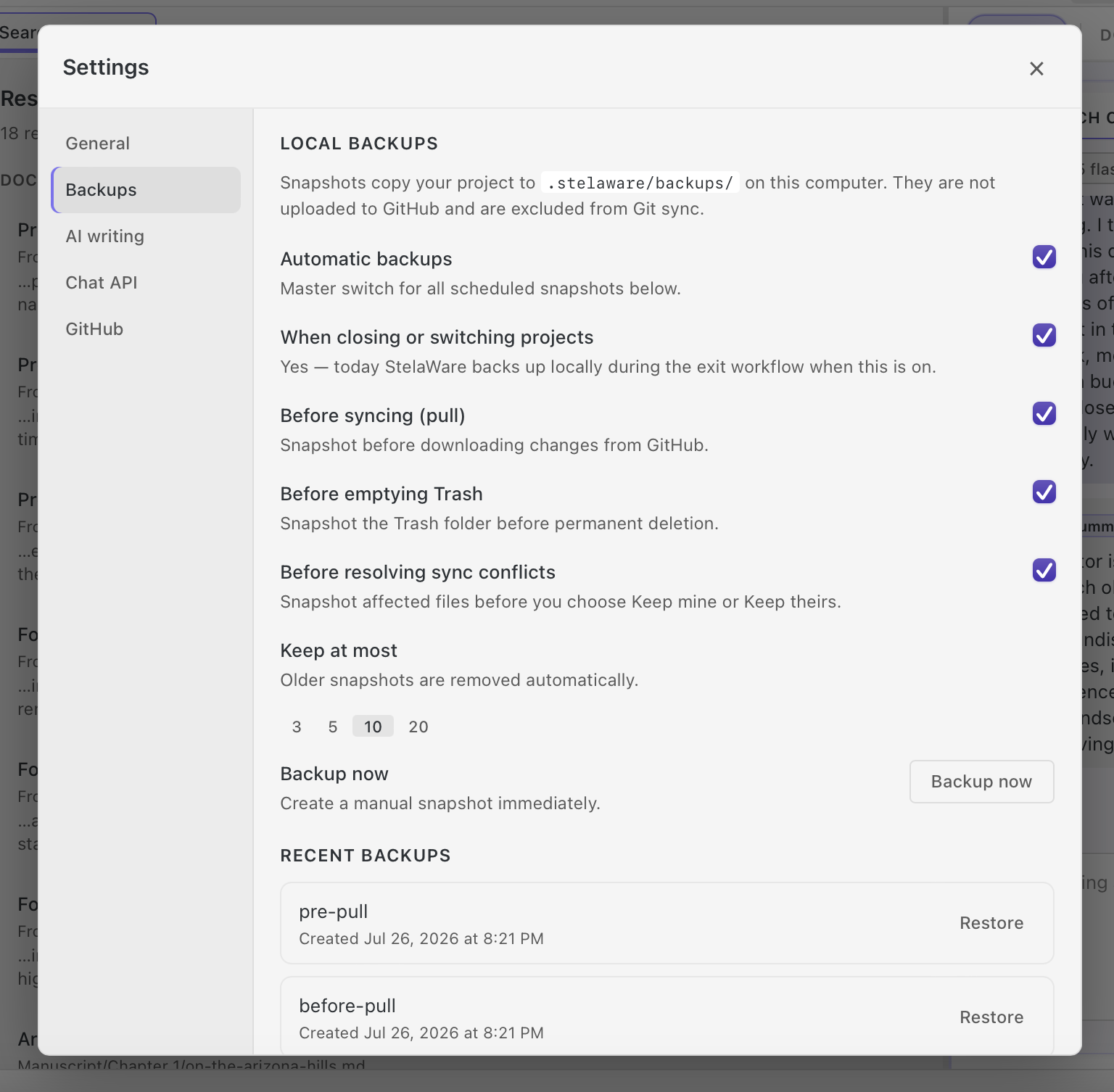
StelaWare backs up your work on its own schedule, in the background. You'll never lose a manuscript to a crash or a bad save.
Backups happen on a schedule you never have to think about, quietly, while you write. There is no button to remember to press before closing your laptop.
Your laptop battery dies mid-sentence during a long writing session. When you reopen StelaWare, the backup from minutes earlier is waiting, with nothing lost but a few keystrokes.
- Backups run every few minutes without any manual step.
- Local backups mean recovery does not depend on an internet connection.
- Works alongside full version history for even deeper recovery.
Version history
Every draft, recoverable
Every change syncs through Git. See any prior state of a document or an entire project, and step back to it whenever you want.
Every save is a real commit under the hood, the same technology software teams use to track years of code changes without losing a line. You get that same depth of history, without ever needing to learn Git yourself.
Rewrite the opening scene of chapter one three different ways over a week. Open the history panel, compare all three versions side by side, and restore the one that actually worked.
- Step back to any prior state of a single document or an entire project.
- Powered by Git, a version control system trusted for two decades.
- No command line knowledge required to use it.
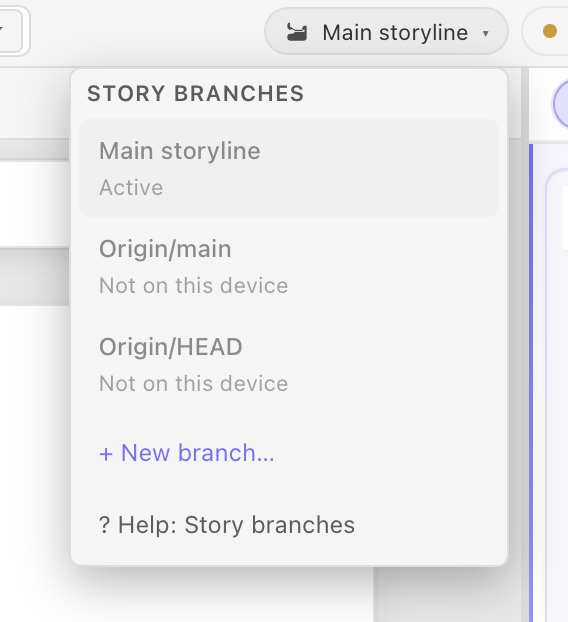
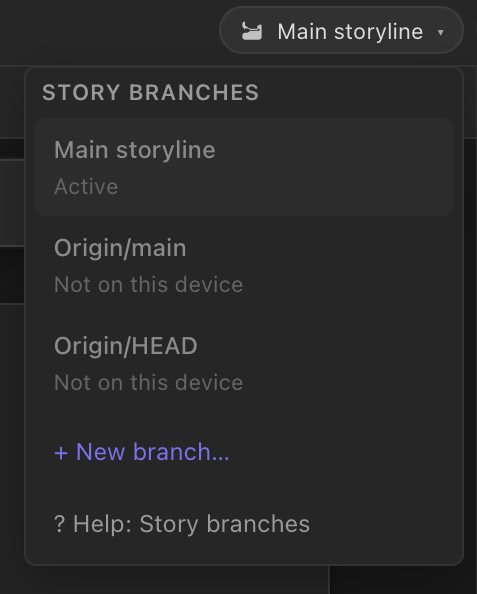
Branching
Explore alternate paths without duplicating files
Branch a story or a document to maintain multiple working versions, like an alternate ending or an editorial pass, without hand-copying anything.
Instead of saving a dozen files named final, final two, and final real this time, branch the project once and let StelaWare keep every version organized and labeled.
Branch a novel to try a darker ending for a submission to one editor, while the original ending stays untouched on the main branch for a different pitch.
- Maintain multiple working versions without hand-copying files.
- Compare an alternate ending or an editorial pass against the original.
- Merge changes back when you decide which version wins.
Mobility
One project, every computer you own
Your project lives in a Git repository, not on a single hard drive. Buy a new laptop, sit down at a different desk, or borrow a machine on the road, and a single pull brings your entire project back exactly where you left it. Push to your own Git host, GitHub, GitLab, or a private server. GitHub itself is free, so there is no cloud cost attached, and you can browse or manage that repository with or without StelaWare installed.
Branch before starting a new draft on a different machine, so an experiment stays separate from the version already in progress. Prefer to skip a cloud host entirely? Copy the project folder by hand, over a drive or a local network, and StelaWare picks up right where the files left off. Your phone reaches the same project too, through Companion, reading and capturing without a full clone of its own.
Leave your desktop mid-chapter on a Friday, then open a new laptop bought over the weekend. Clone the project from your free GitHub repository, and every chapter, tag, and backup shows up exactly as you left it, ready to keep writing Monday morning.
- Work from a laptop, a desktop, or a borrowed machine, all pointed at the same project.
- Sync through a free GitHub account, GitLab, or a private server, with no cloud bill and no StelaWare account required.
- Browse or manage the repository yourself, with or without StelaWare installed, using GitHub's own site or app.
- Branch a new draft on one machine while the original stays untouched on another.
- Copy the project folder by hand, over a drive or a local network, when you would rather skip a cloud host entirely.
- Check in from your phone through StelaWare Companion, reading and capturing without a full Git clone.
Synced through GitHub, free to use, or your own private Git host, with or without StelaWare, no cloud account required. Your phone joins in too, through Companion sync.
AI chat
Fast frontier models, or fully private and local
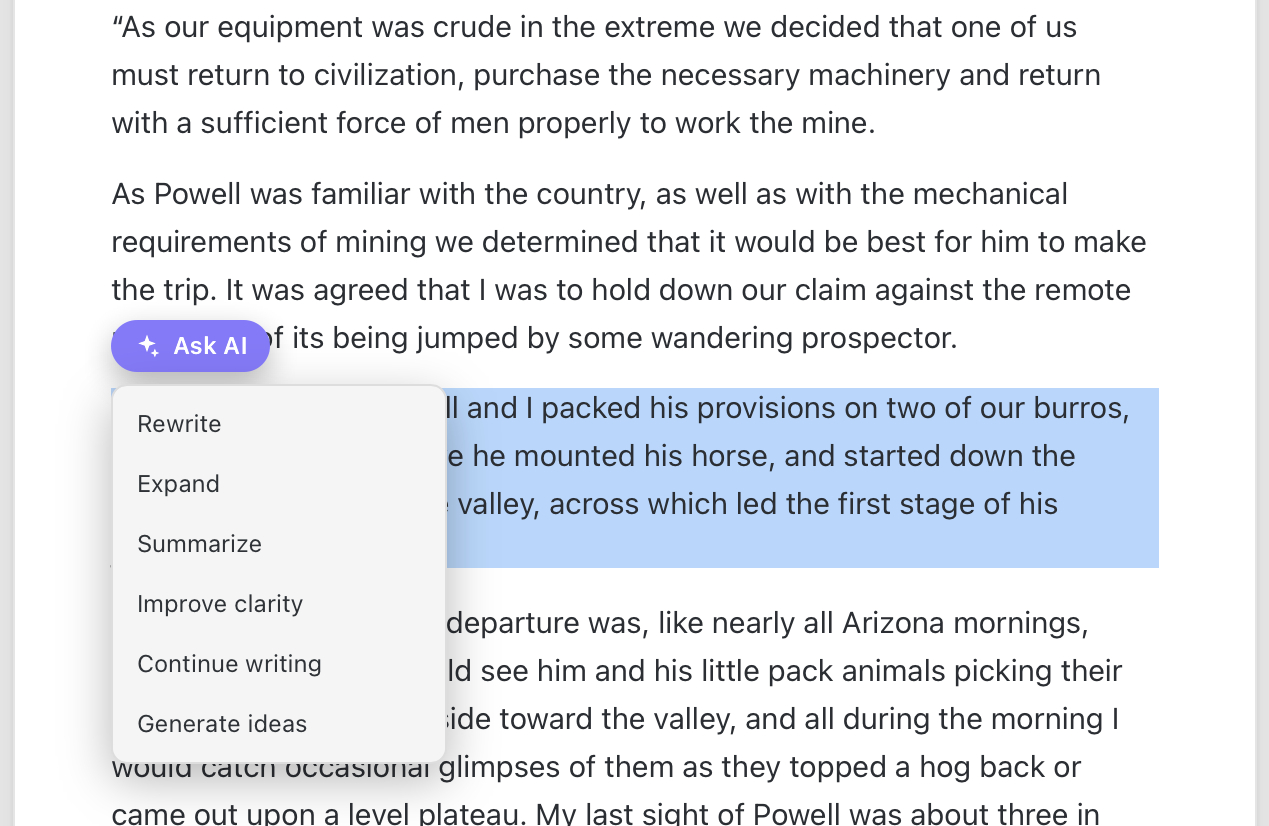
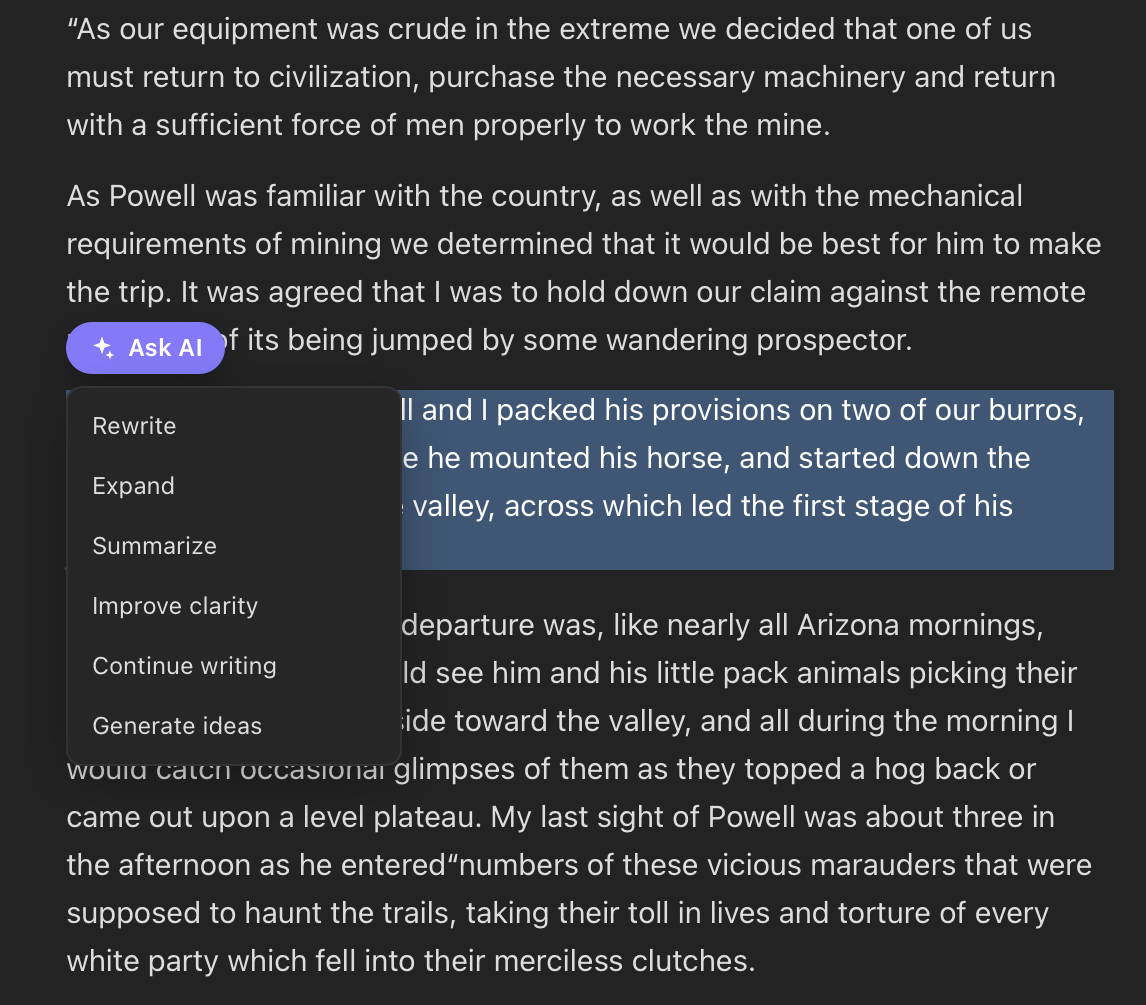
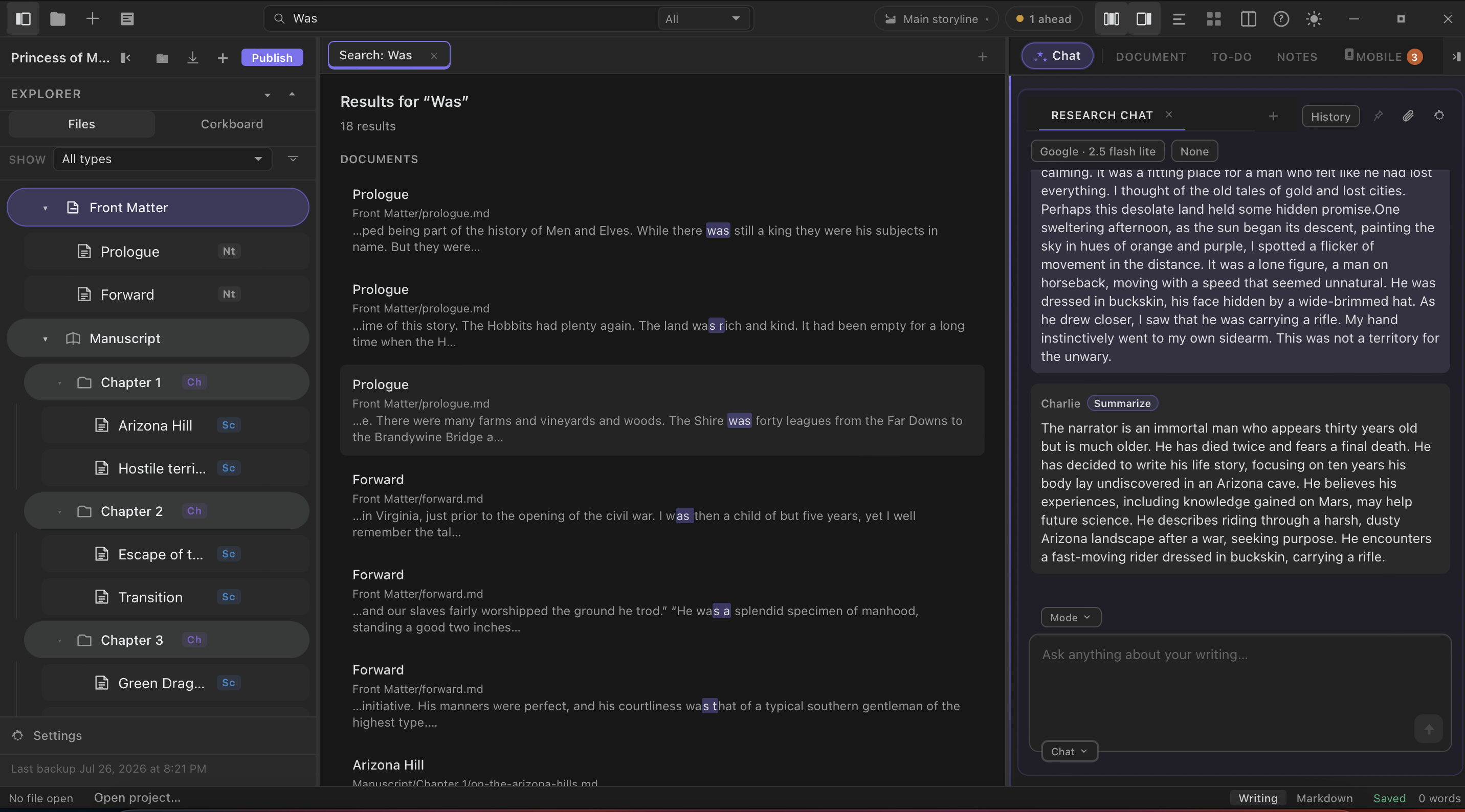
Chat with the frontier model of your choice for speed, or switch to a fully local model when your manuscript shouldn't touch a cloud API at all. Ask it to research a fact, summarize a chapter, or talk through your next scene. Real choice, not a single vendor lock-in.
Because the model is a setting, not a hard-coded feature, switching from a cloud provider to a local model takes seconds, not a support ticket.
Draft a sensitive memoir chapter using a fully local model that never sends a word to the internet, then switch to a frontier cloud model later the same day to brainstorm marketing copy for the book.
- Choose the frontier model that fits the moment, Claude, GPT, Gemini, or others.
- Run a fully local model for manuscripts that should never touch a cloud API.
- Use AI for research, fact checking, and summarizing, not only for generating text.
Mobile
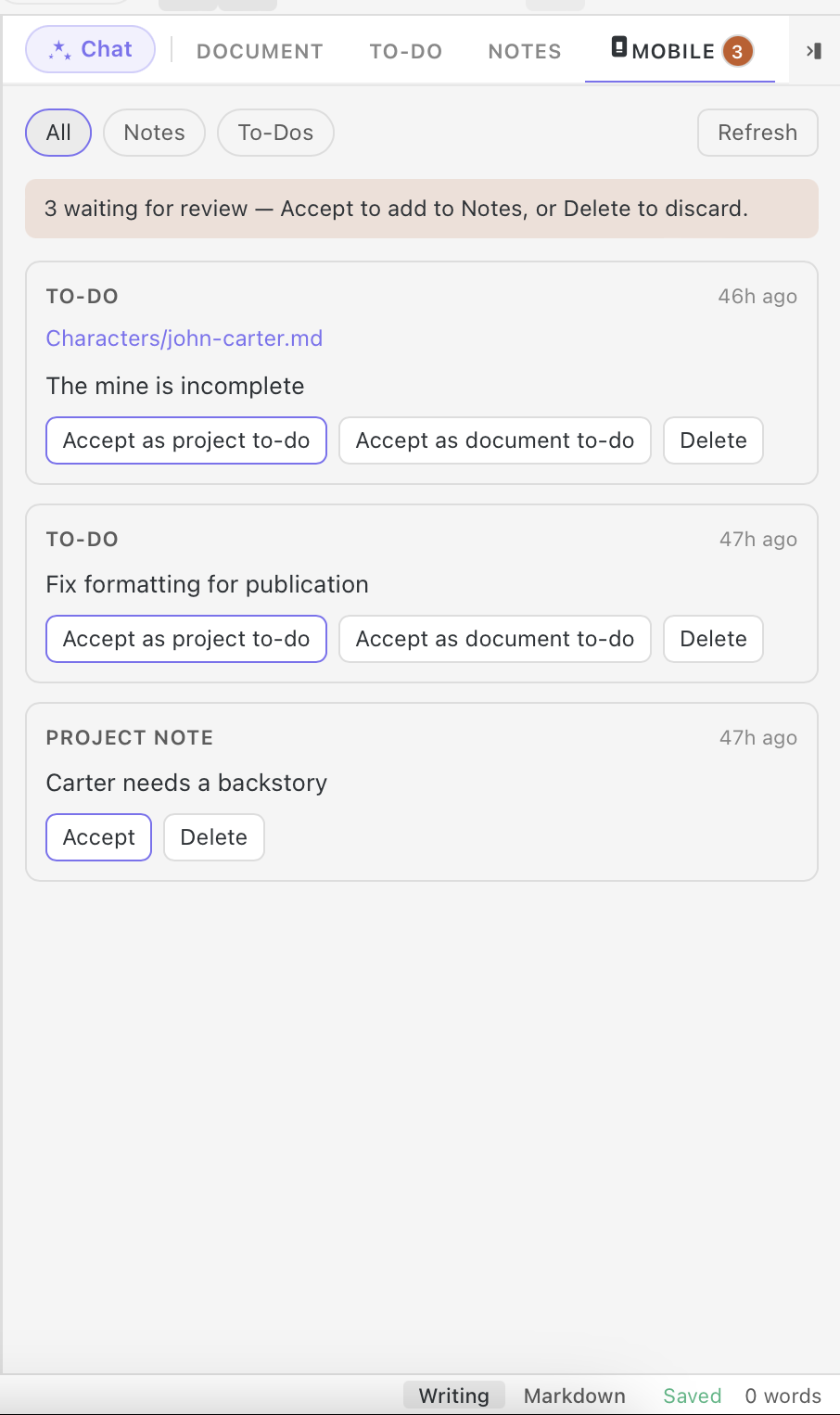
StelaWare Companion Coming soon
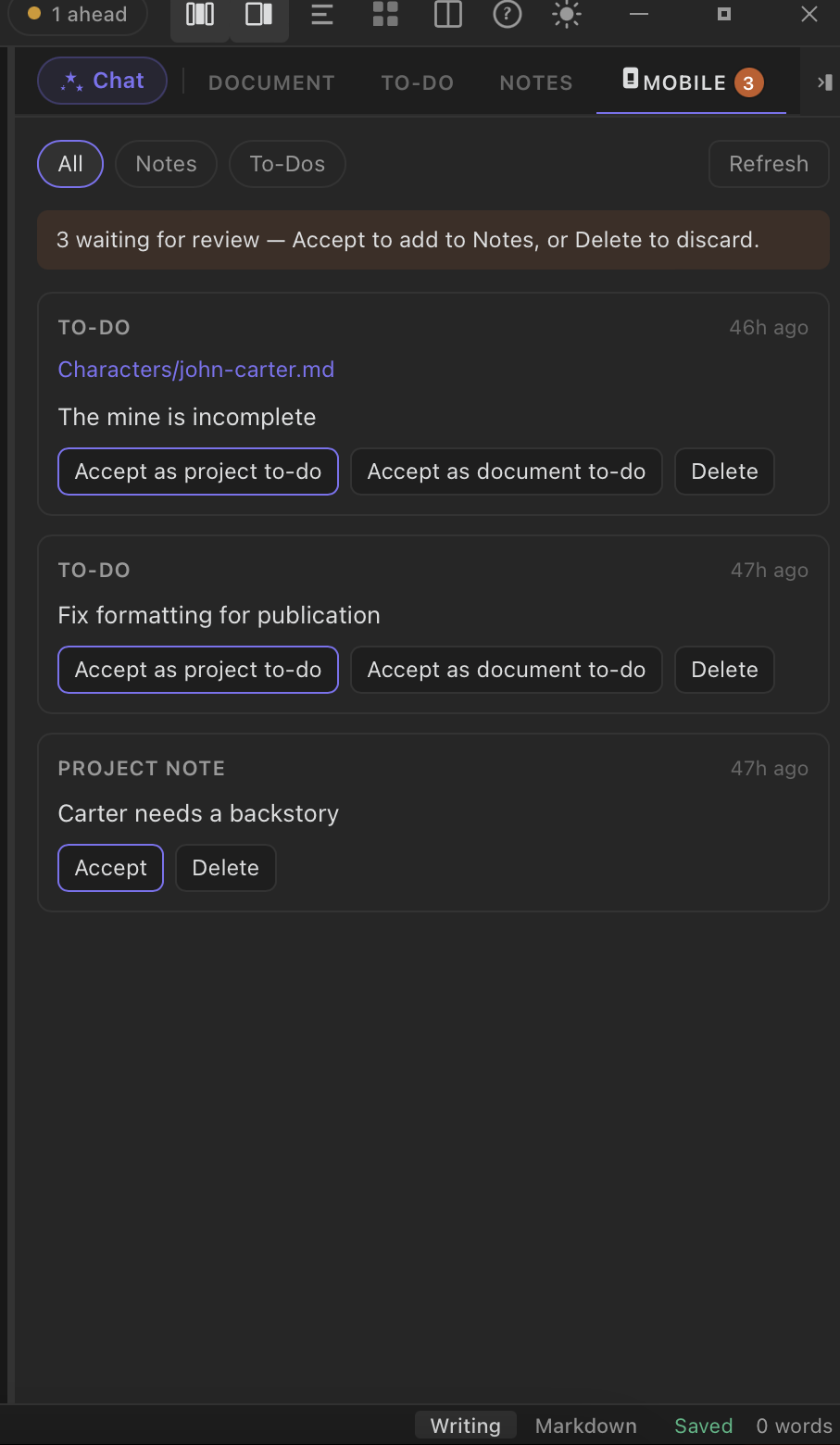
A companion mobile app for reading your manuscript and capturing notes and ideas on the go, syncing back to the desktop for review. Editing always stays on the desktop. Companion never silently changes your manuscript.
Companion is not a separate app bolted on from outside. The Mobile tab sits in the exact same window as Chat, Document, To-Do, Tags, and Notes. Set up sync once from that tab, and your phone becomes another way into the same project, reading and capturing against the identical files your desktop already tracks.
Companion is built to be a window into your manuscript, not a second editor competing with the first. That keeps one clear source of truth for the actual writing. See the full Companion page.
Capture a plot idea on your phone during a commute, then find that note waiting in the right chapter folder the next time you open StelaWare on your desktop.
- Read your manuscript from your phone, anywhere.
- Capture notes and ideas the moment they occur to you.
- Editing always stays on the desktop, so nothing changes without you noticing.
- Lives in the same app window as Chat, Document, To-Do, Tags, and Notes, not a separate product to manage.
One project, one app shell. The Mobile tab and your phone both read from the same files as Chat, Document, To-Do, Tags, and Notes.
Export & publish
Publish in the format the moment calls for
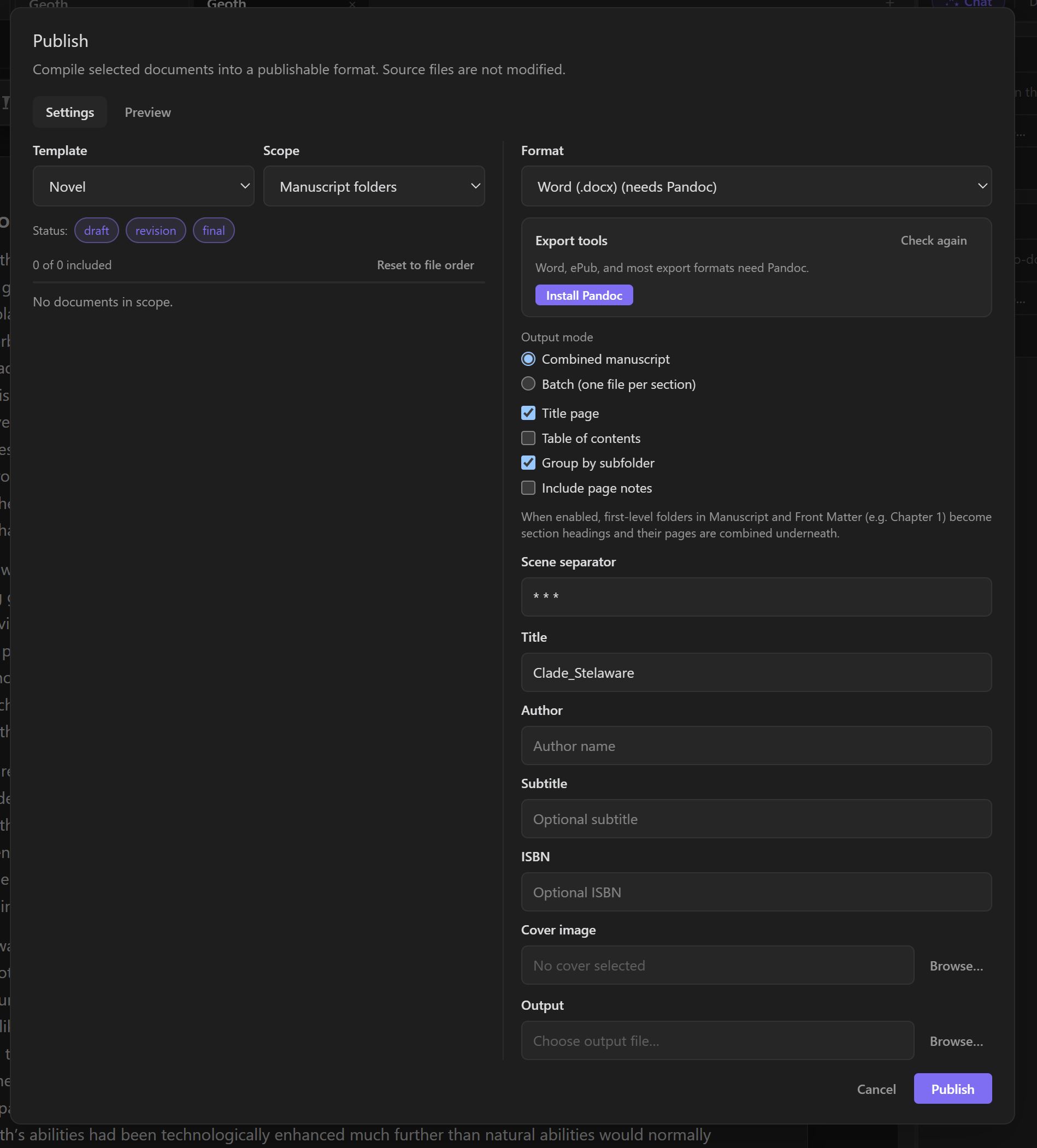
Export to Word, ePub, PDF, HTML, RTF, LaTeX, or plain Markdown and text. Manuscript-standard and ebook formats, ready to submit or self-publish.
Every export uses the formatting conventions the destination actually expects, so a manuscript sent to an agent looks like a submission, and a file sent to an ebook store looks like a book.
Export a query-ready Word document formatted to standard manuscript format for a literary agent, then export the same finished project to ePub and PDF for a self-published release.
- One project, exported however the next step requires it.
- Manuscript-standard formatting for traditional submissions.
- Ebook formats ready for self-publishing platforms.
Focus mode
Just the page
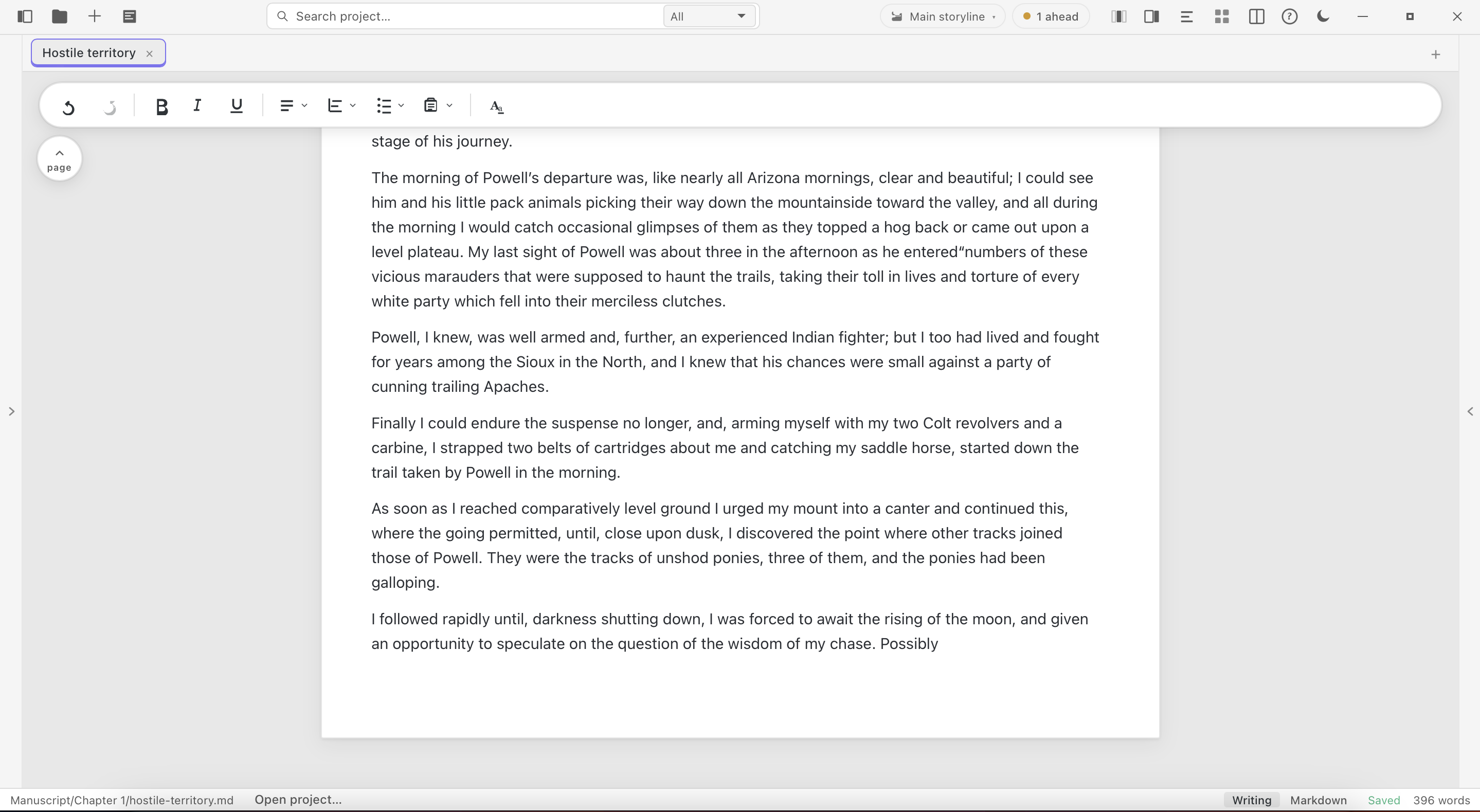
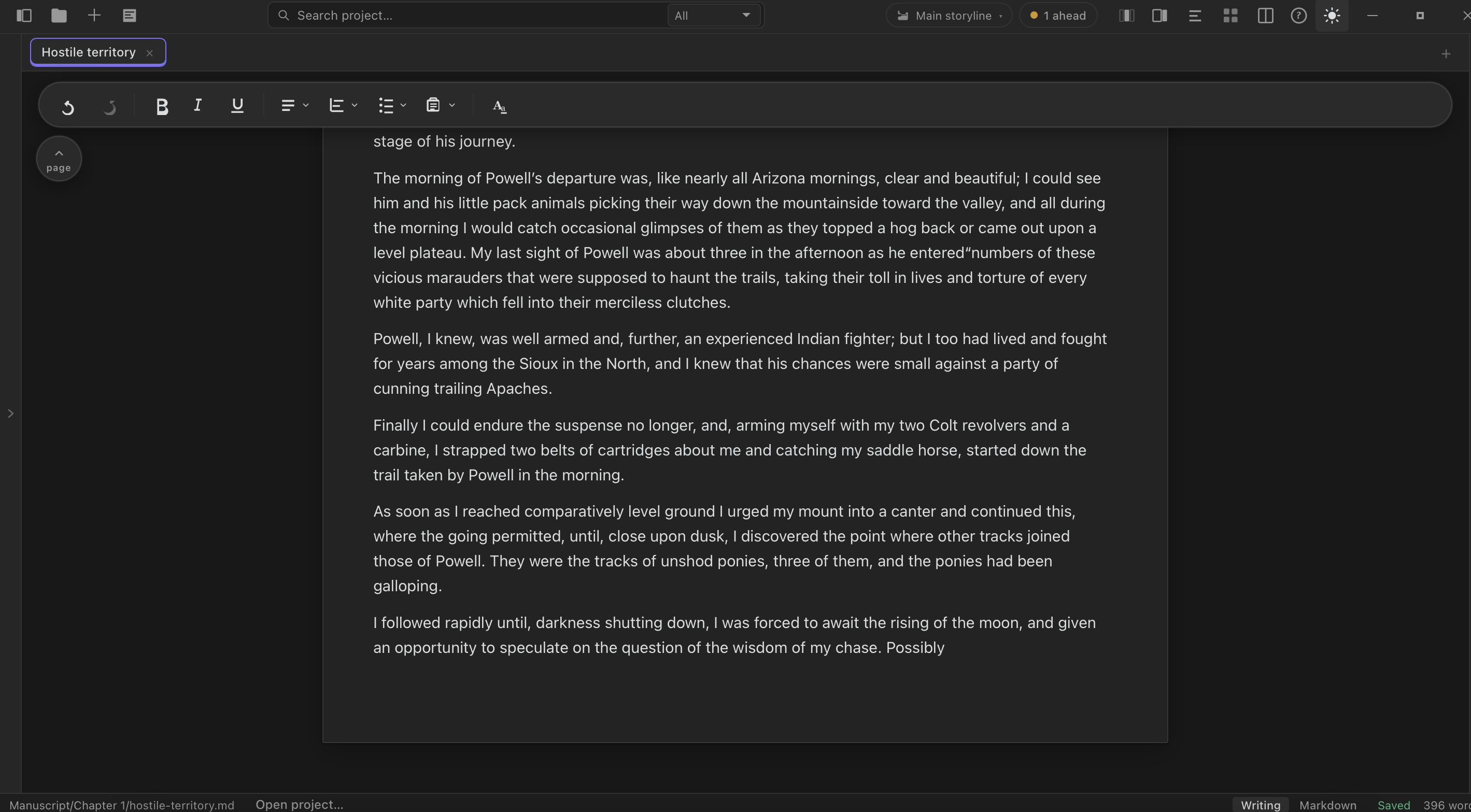
Collapse every panel down to the manuscript itself, and write without the rest of the interface competing for attention.
Every panel, the outline, the AI chat, the file browser, collapses down to nothing with a single command, leaving only the page and the cursor.
Start a drafting sprint with everything hidden but the page, then bring back the outline panel for thirty seconds to check a name before continuing.
- Removes every visual distraction with one click.
- Brings any panel back instantly when you need it.
- Keeps the writing itself the default view.
Tagging
Find anything, fast
Tag documents so you can retrieve them instantly, even in a project with hundreds of files.
Tags work across the whole project, so a note buried in a research folder and a scene in chapter twenty can share the same tag and surface together.
Tag every scene that touches a specific subplot across a 300 page manuscript, then pull up all of them at once when it's time to revise that thread.
- Retrieve documents instantly, even in a project with hundreds of files.
- Tag research, scenes, and notes with the same system.
- Filter a large project down to exactly what you need.
Search
Search that gets you there, not just close
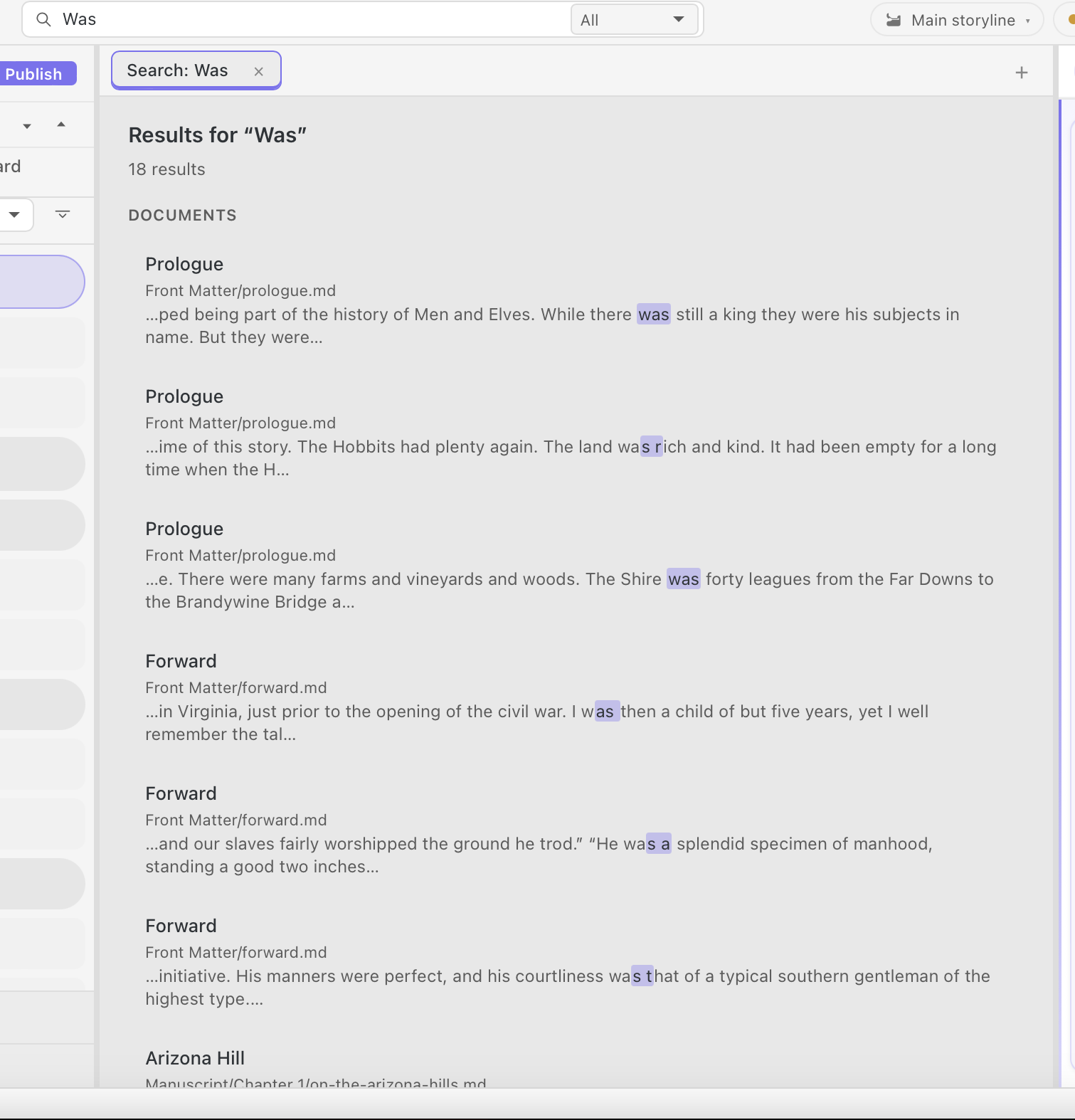
Fast, project-wide search with results that jump straight to the right file and the right line.
Search covers every document in the project at once, not just the file currently open, and jumps straight to the matching line instead of leaving you to scroll.
Search a 120,000 word manuscript for every mention of a minor character's name to check for a continuity slip, and jump straight to each line in seconds.
- Searches the entire project, not just the open file.
- Jumps straight to the matching line.
- Fast enough to use constantly, not only as a last resort.
Screenplay
Write the scene the way a screen looks
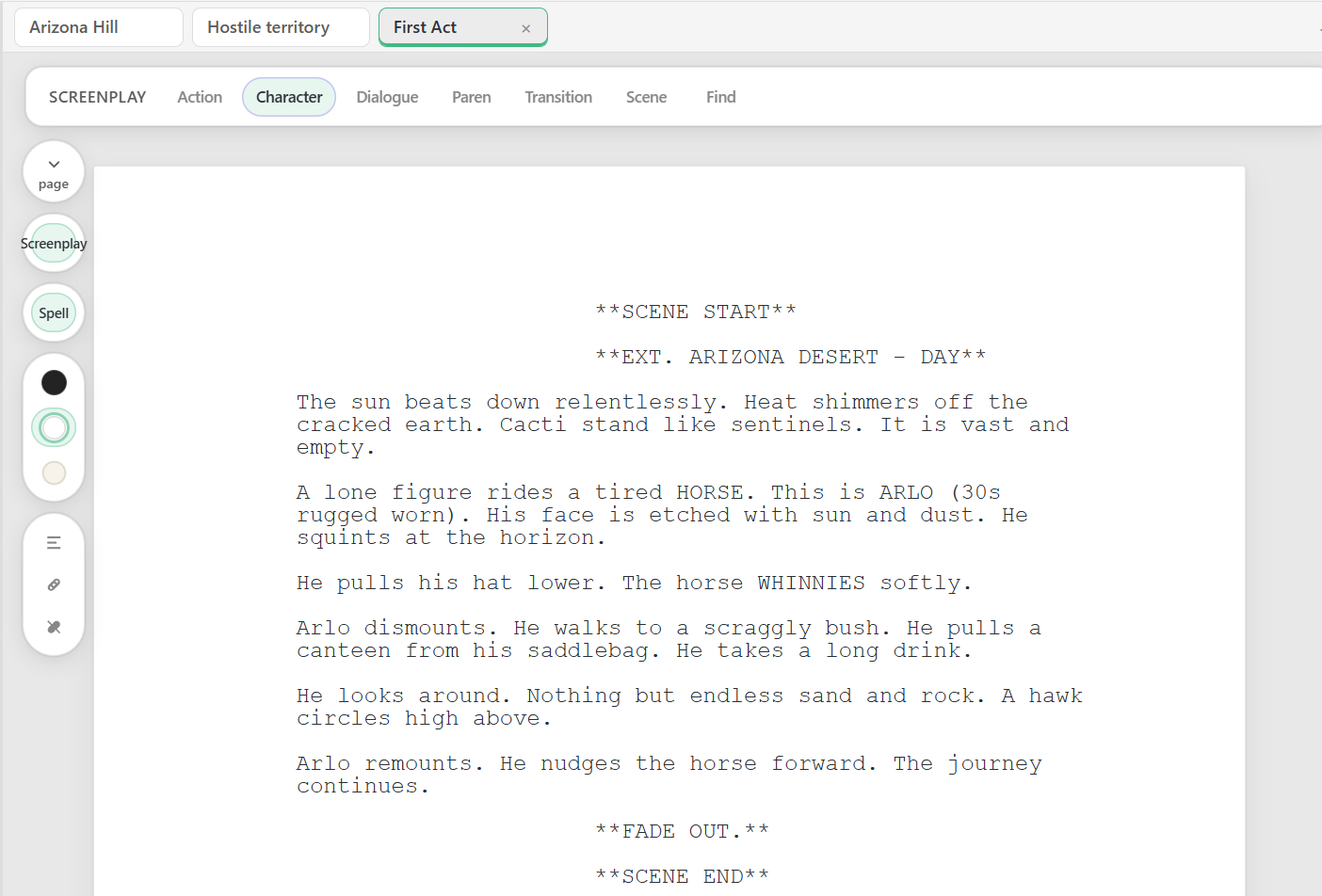
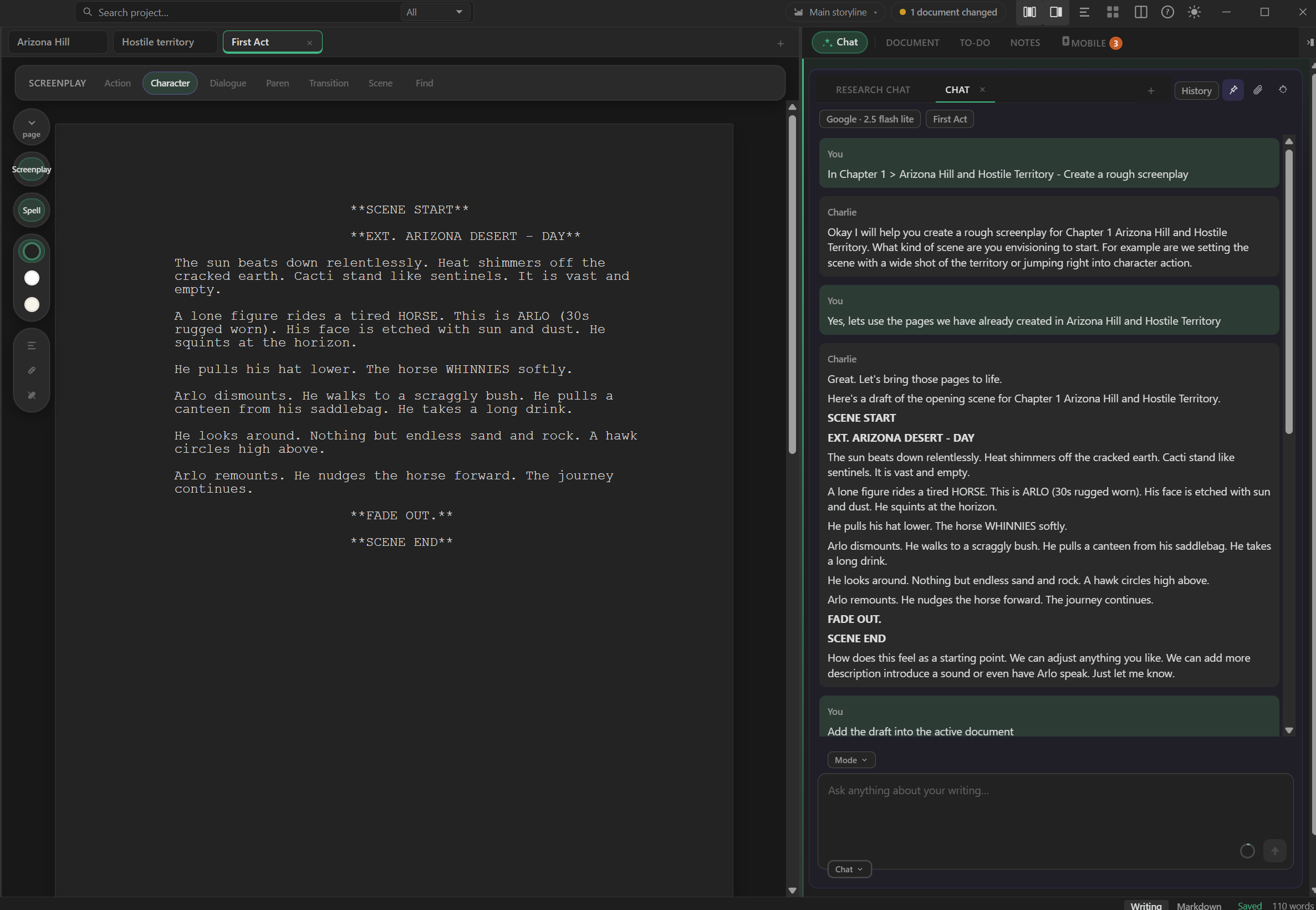
Switch into Screenplay mode and every beat lands where a script expects it: scene headings, action, character cues, dialogue, parentheticals, and transitions. One toolbar, one click per element, no fighting a prose editor into looking like a script.
Screenplay lives in the same project as your outline, notes, and novel drafts, so a mapped beat on the canvas and the formatted scene that grows from it stay one workspace apart.
Open a new act, hit Scene for an EXT. desert heading, then Character and Dialogue for Arlo's first line. The page already reads like a submission-ready script before you touch a margin.
- Formats Action, Character, Dialogue, Paren, Transition, and Scene from one toolbar.
- Keeps industry-style screenplay layout without a separate screenwriting app.
- Stays inside the same project as your canvas, notes, and AI chat.
Story canvas
Map your story before you write it, or while you write it
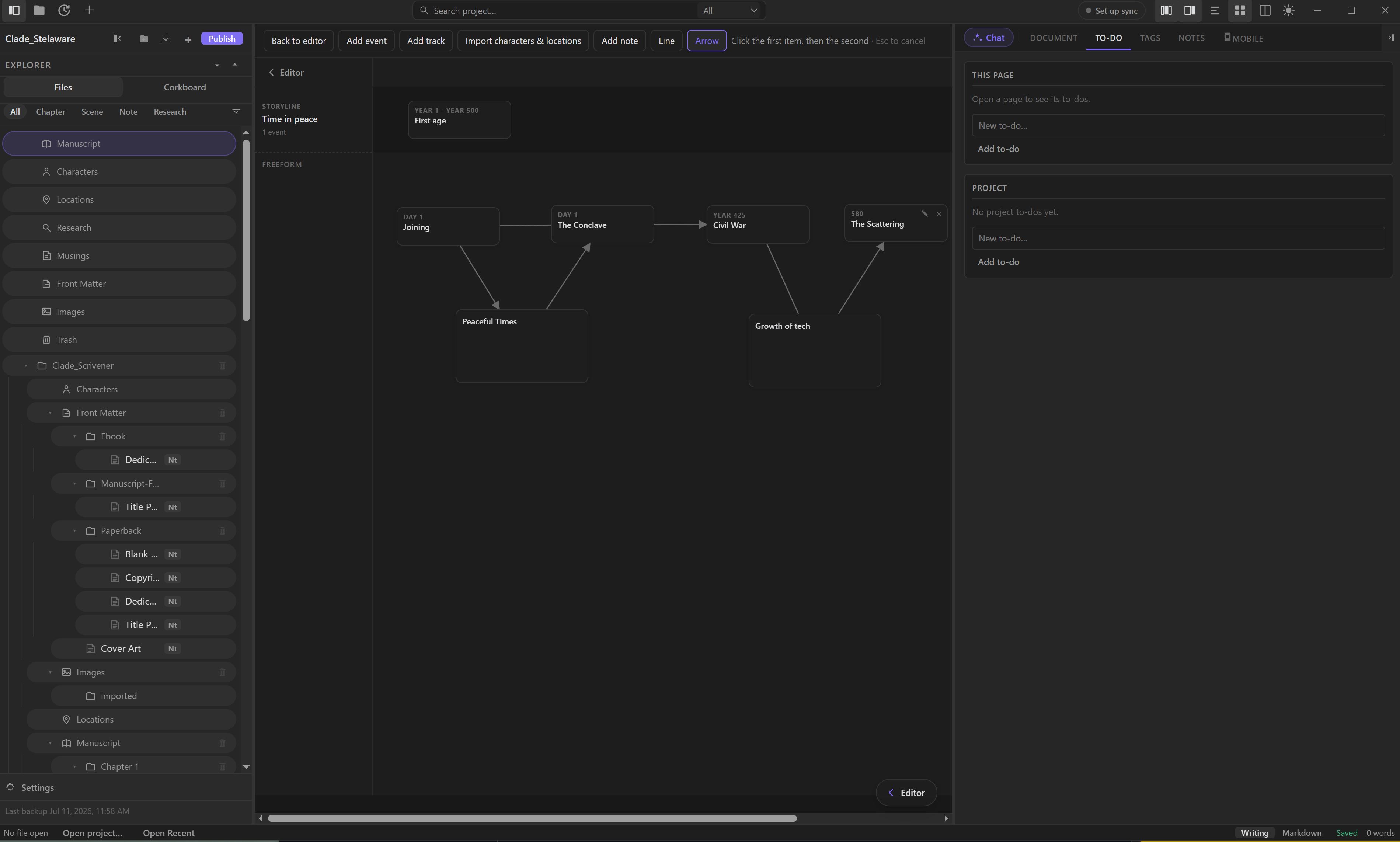
A graphical canvas for outlining and structuring a novel, article, or screenplay visually, from first idea to full structure.
The canvas sits inside the same project as the manuscript, so a plotted event and the scene that grows from it are one click apart, not two different apps.
Map an entire three-act structure on the canvas before drafting a single scene, then click any event node to jump straight into writing that scene.
- See the whole structure of a story at a glance.
- Rearrange scenes and timelines visually before committing to a chapter order.
- Works for novels, articles, and screenplays.
Ready to write without the fear of losing it?
Free to download. Your files stay yours from the first word, your history stays recoverable from the first save, and AI stays optional the whole way through.
Download StelaWare