Your manuscript's writing desk.
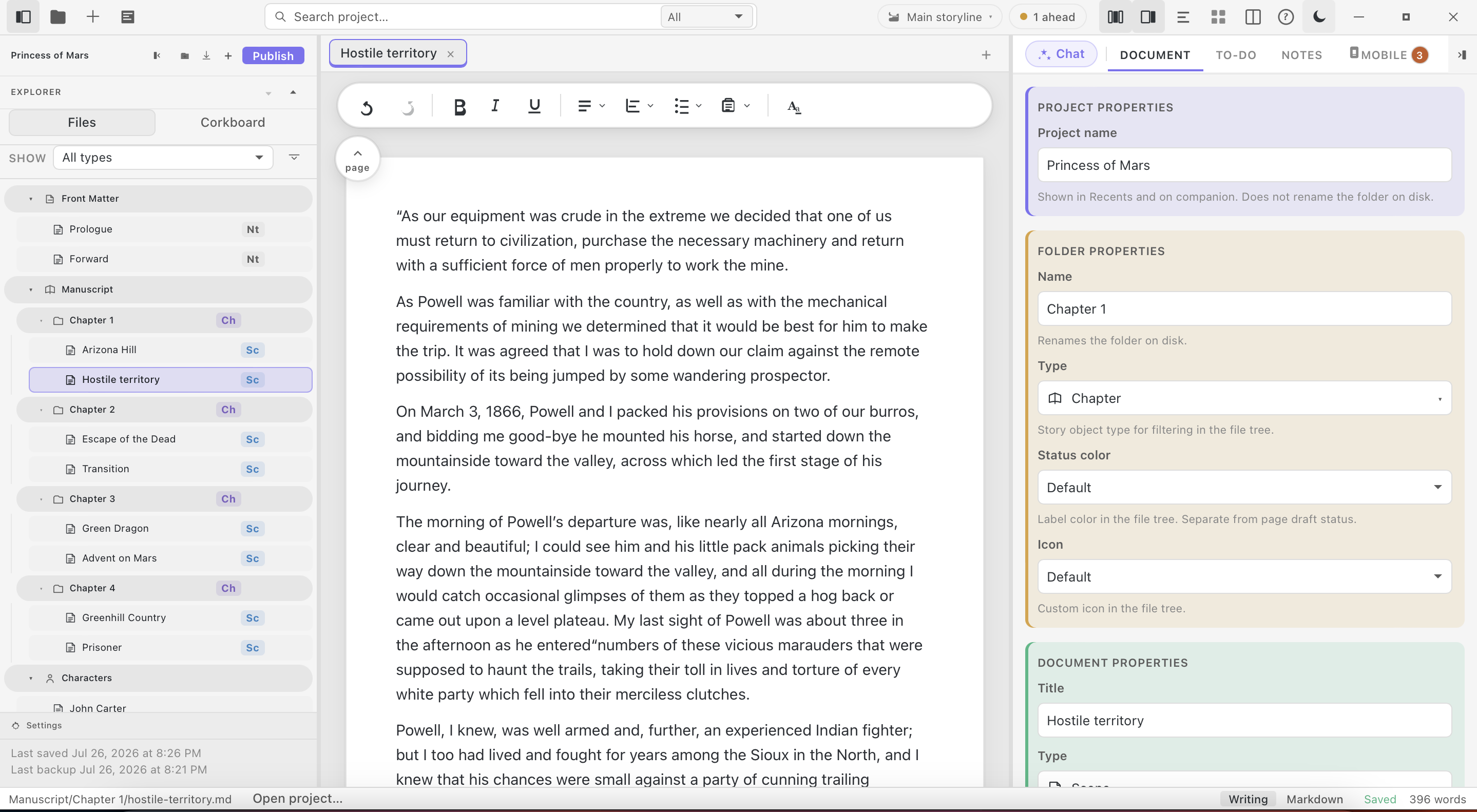
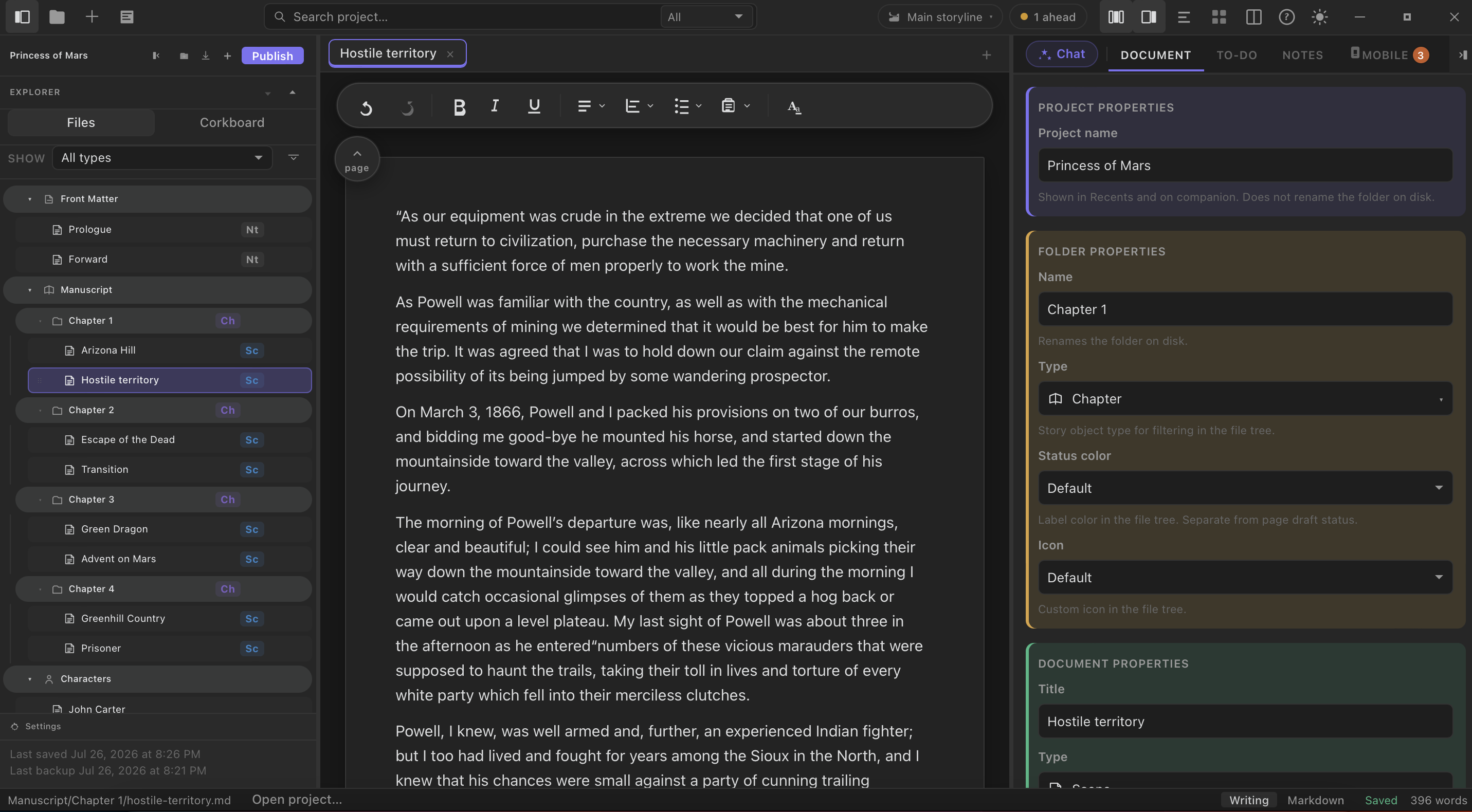
StelaWare keeps your files yours and your history recoverable. It is a genuine writing desk for your desktop, built for people writing something long, not a note-taking app stretched past its limits. Invite AI into the room only when you want help researching a fact, summarizing a chapter, or thinking through your next scene.
Start writing for freeNo credit card. No account required to read your own files.
- Your manuscript lives as plain files on your own disk, not locked inside someone else's account.
- Automatic backups run in the background every few minutes, with nothing to configure.
- Every change is tracked through Git, the same version control engineers have trusted for two decades.
- AI is optional and switchable. Chat with a frontier model for speed, or run a fully local model that never sends a word to the cloud.
- Import from Scrivener, Word, or Markdown with no reformatting surprises waiting on the other side.
- Clone your project onto a new computer and keep writing without missing a beat.
Built for
Novelists use StelaWare to draft a full manuscript across dozens of chapters without losing track of an earlier version. Journalists use it to keep interview notes, sources, and drafts side by side in one project. Screenwriters use the story canvas to block out every act before writing a single line of dialogue. Memoirists lean on version history to protect a personal manuscript that took years to write.
How it starts
Three steps from old file to open page
Import your manuscript
Bring it from Scrivener, Word, or plain Markdown. Nothing is reformatted or rewritten. StelaWare reads the structure you already built, chapters, scenes, and folders included, and opens it exactly the way you left it.
Drag in a 40-chapter Scrivener project built over three years. Every chapter, note, and folder shows up in the same order, with the same names, on the first open.
StelaWare gets out of the way
Collapse every panel down to the page when you want to write without the interface competing for attention. Bring the project explorer, outline, or AI chat back with a single click the moment you need them again.
Start a drafting session in focus mode with nothing on screen but the page and the cursor. Expand the side panel later to check a character note without losing your place.
Back up as you go
Regular local backups and full Git history mean you can always step back to an earlier draft. No cloud sync to configure, no third-party account required, just a running record of your own work on your own machine.
Rewrite the ending of chapter nine, then decide the earlier version was better. Open the history panel and restore that exact draft in a few clicks.
AI features
Write more, lose nothing
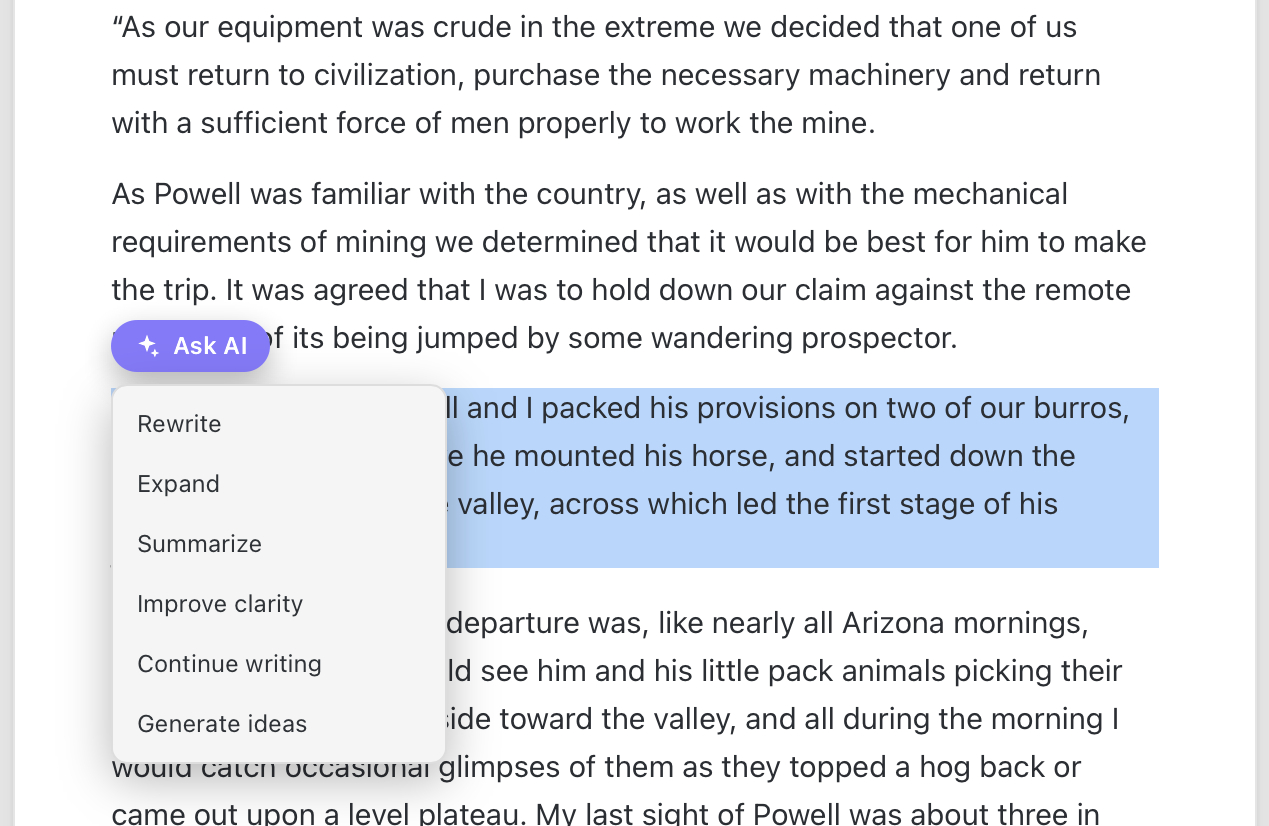
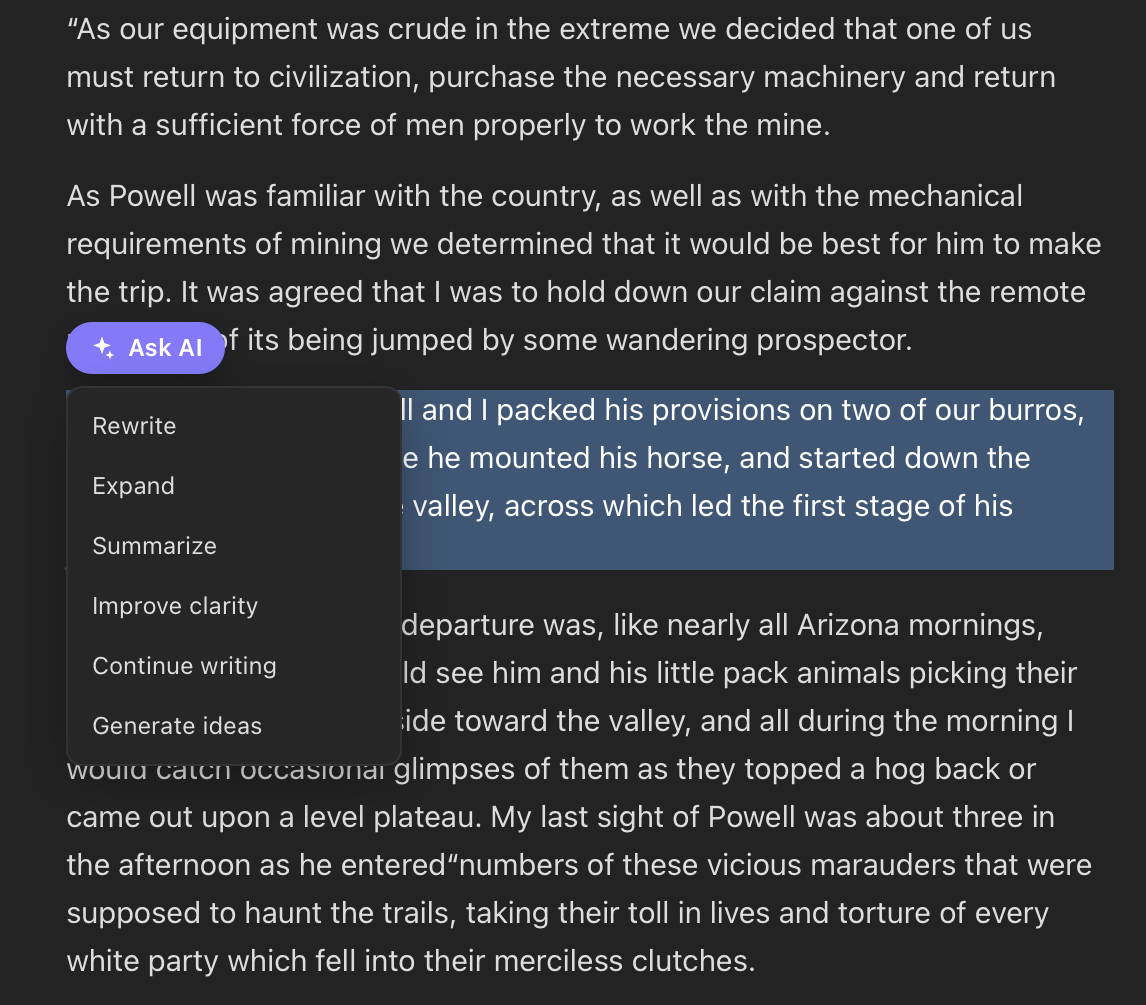
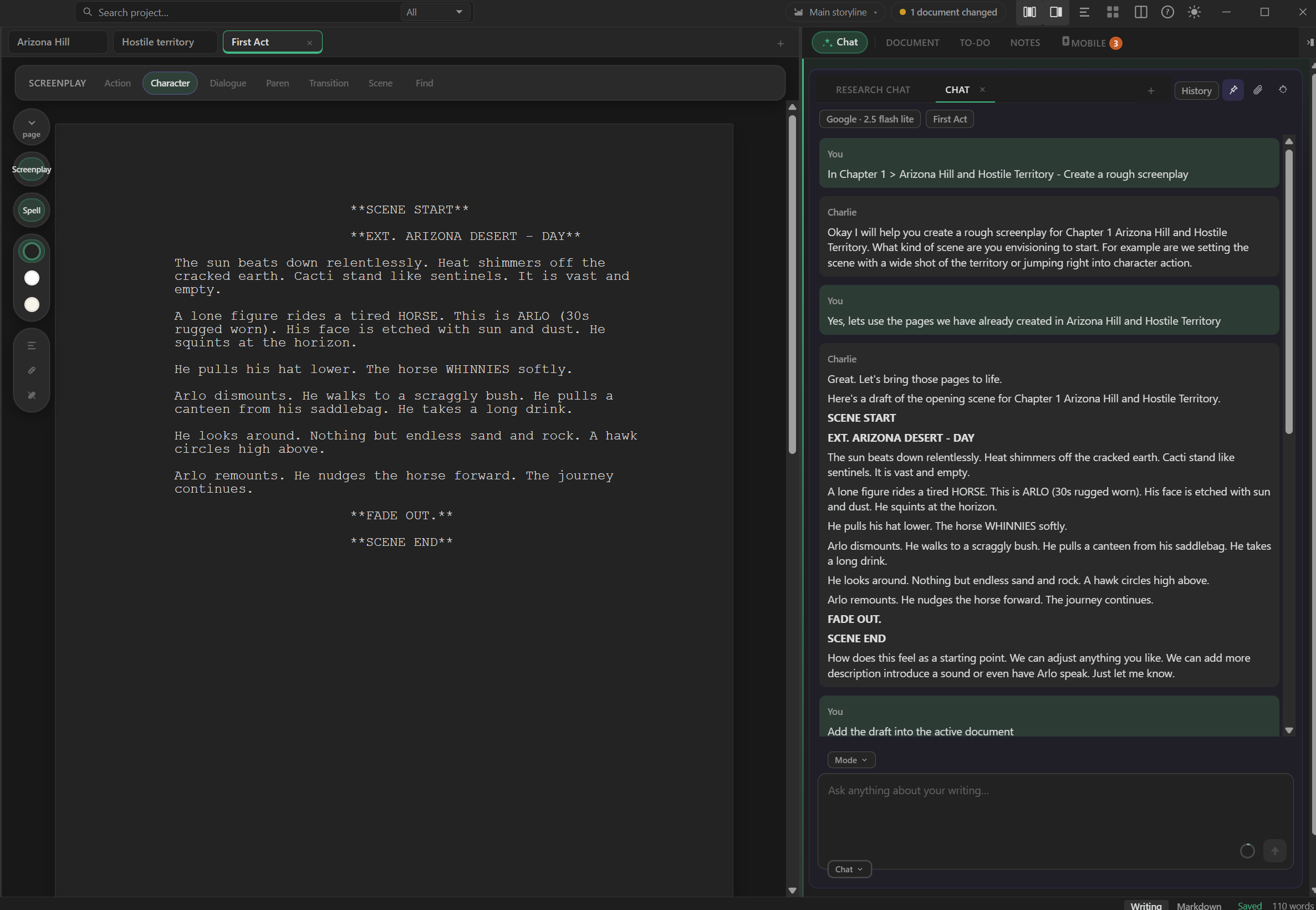
Chat with a frontier cloud model for speed, or switch to a fully local model when your manuscript shouldn't touch a cloud API at all. Most writing tools bolt on a single AI vendor and hope you never want to leave. StelaWare treats the model as a swappable part, so a change in pricing or policy at one provider never holds your workflow hostage.
The same chat panel that drafts a paragraph with you can also research background details, summarize a chapter, or check continuity across a hundred thousand words. Real choice, not a single vendor lock-in.
Ask StelaWare's AI chat to summarize the last three chapters before you sit down to write chapter twelve. It reads only the text you point it at and hands back a plain summary you can paste straight into your outline.
- Switch between frontier providers like Claude, GPT, and Gemini without changing how you write.
- Run a fully local model for manuscripts that should never leave your machine.
- Use AI for research and fact checking, not only for generating prose.
- Summarize long chapters in seconds instead of rereading a whole draft from scratch.
Story canvas
Map it before you write, or while you write
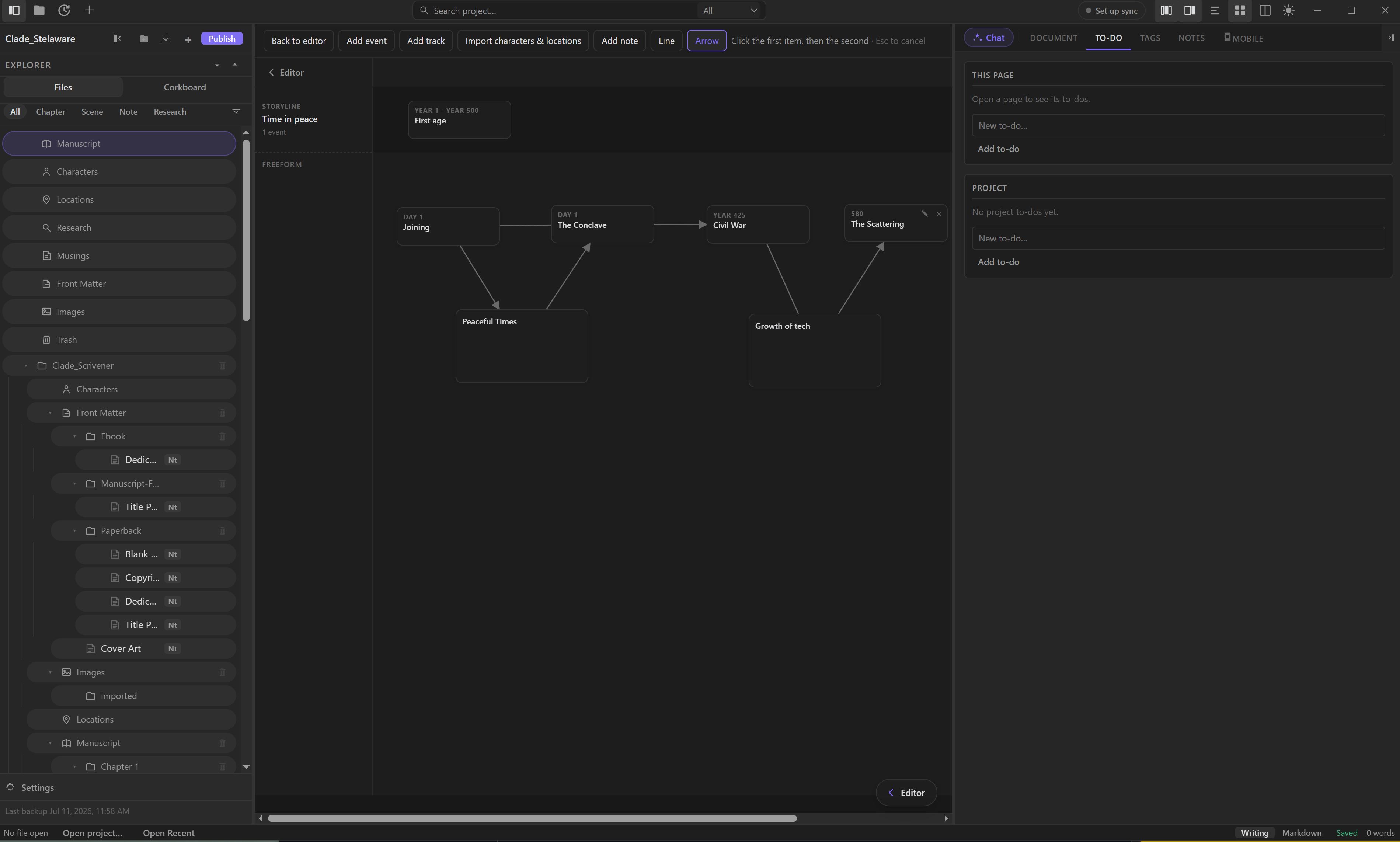
A graphical canvas for outlining a novel, article, or screenplay, from a first loose idea to a full structure you can actually see. Drop in events, characters, and threads as nodes, then connect them however the story actually works, not however a rigid template expects it to.
Because the canvas lives inside the same project as your manuscript, moving from a plotted node to the scene it represents takes one click, not a trip to a separate app.
Drag three plot threads onto the canvas for a mystery novel, then connect every clue to the reveal so you can see the whole trail before drafting a single scene.
- See an entire plot structure at a glance instead of scrolling through a linear outline.
- Rearrange scenes and timelines visually, before committing to a chapter order.
- Works for novels, articles, and screenplays alike.
Screenplay
Write the scene the way a screen looks
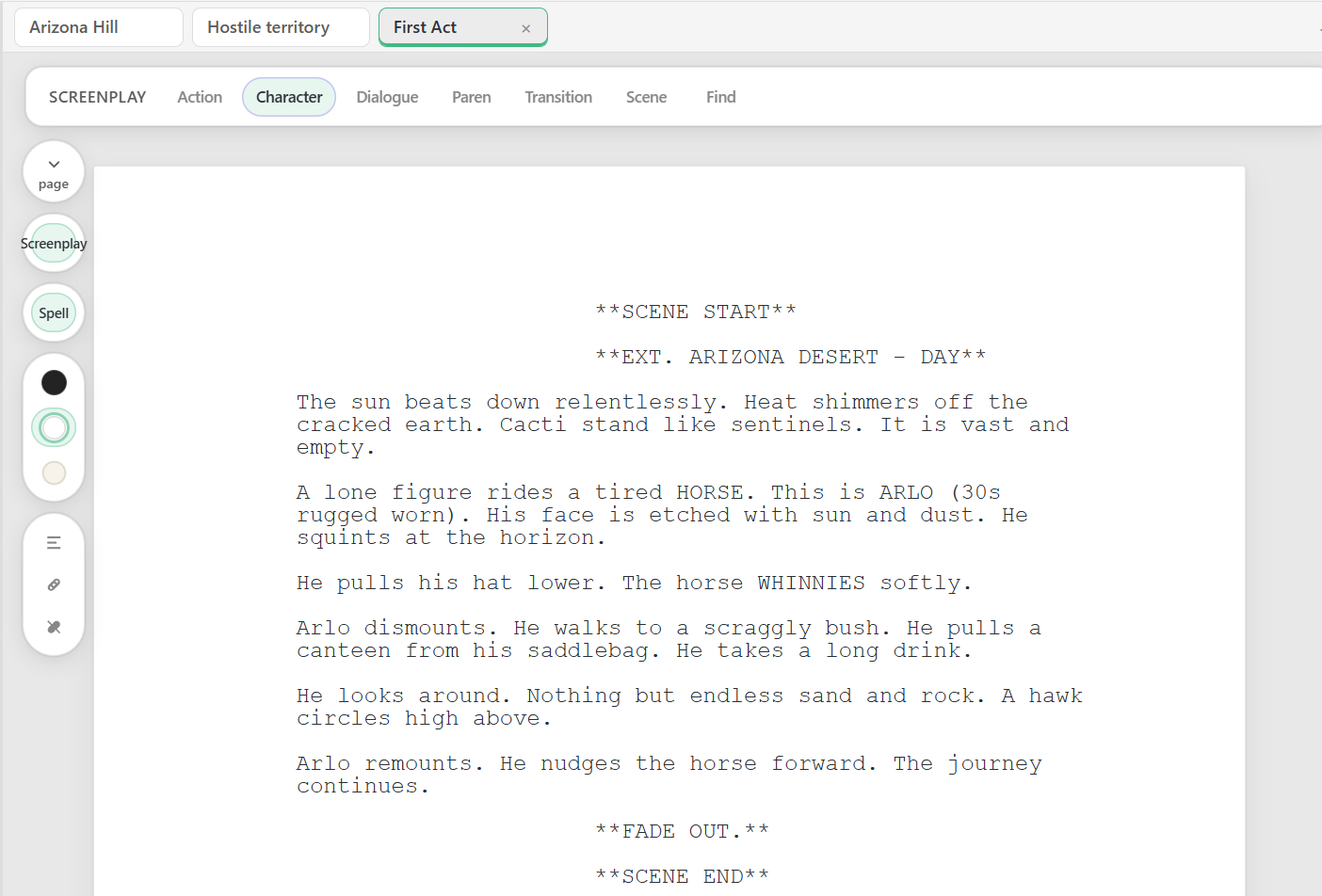
Switch into Screenplay mode and every beat lands where a script expects it: scene headings, action, character cues, dialogue, parentheticals, and transitions. One toolbar, one click per element, no fighting a prose editor into looking like a script.
Screenplay lives in the same project as your outline, notes, and novel drafts, so a mapped beat on the canvas and the formatted scene that grows from it stay one workspace apart.
Open a new act, hit Scene for an EXT. desert heading, then Character and Dialogue for Arlo's first line. The page already reads like a submission-ready script before you touch a margin.
- Formats Action, Character, Dialogue, Paren, Transition, and Scene from one toolbar.
- Keeps industry-style screenplay layout without a separate screenwriting app.
- Stays inside the same project as your canvas, notes, and AI chat.
Export & publish
Publish in the format the moment calls for
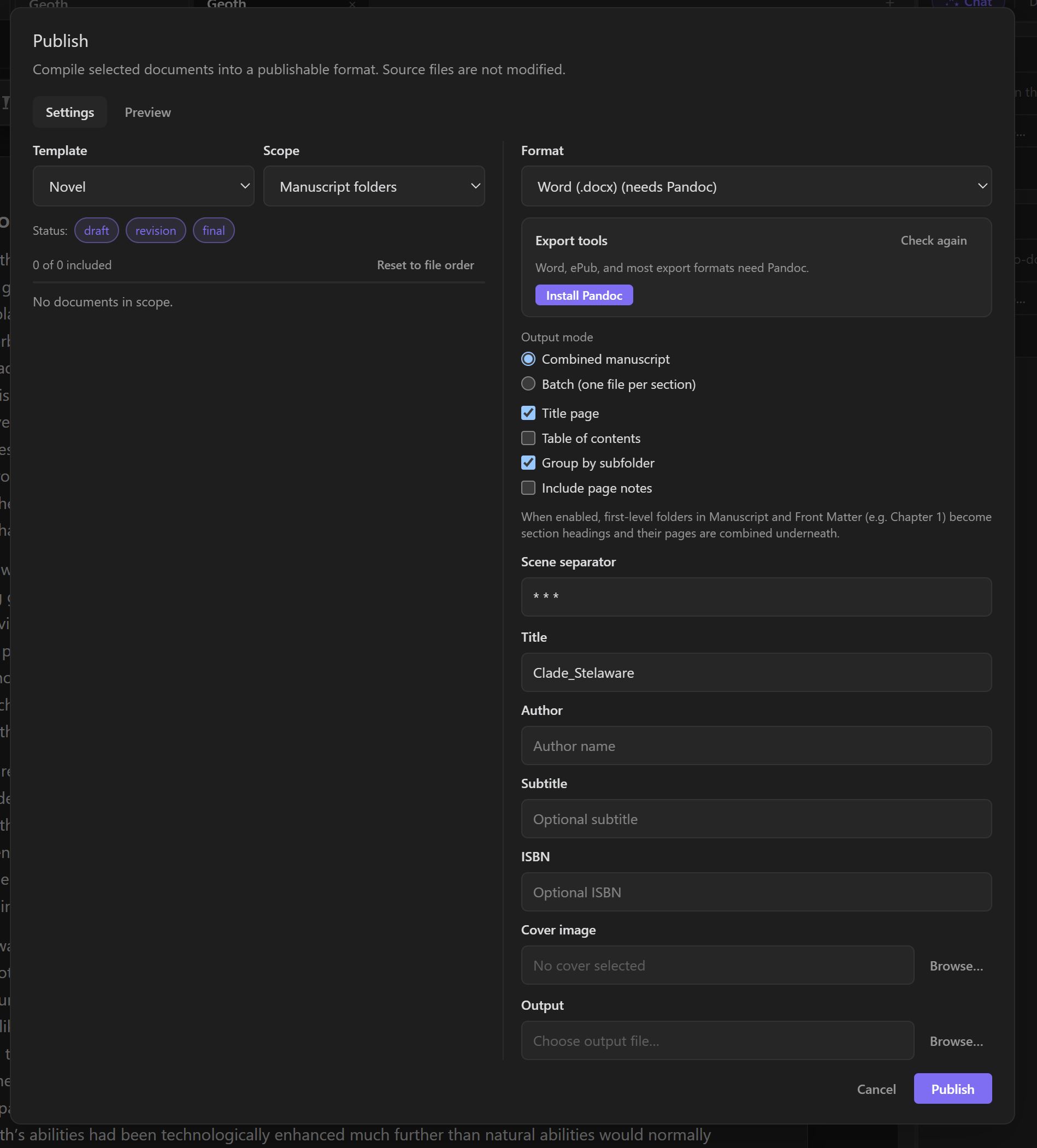
Word, ePub, PDF, HTML, RTF, LaTeX, or plain Markdown and text. Manuscript-standard and ebook formats, ready to submit or self-publish. One project, exported however the next step in your process requires it.
Export a query-ready Word document formatted to industry manuscript standard for a literary agent, then export the same finished book to ePub for a self-published release, all from the same project file.
- No separate formatting pass for agents, editors, or ebook stores.
- Plain Markdown and text exports for writers who want a clean, portable copy.
- LaTeX export for writers who need precise, print-ready typesetting.
Mobility
One project, every computer you own
Your project lives in a Git repository, not on a single hard drive. Get a new computer, pull your project, and keep writing exactly where you left off. Push to your own Git host, GitHub, GitLab, or a private server. GitHub itself is free, so there is no cloud cost attached, and you can browse or manage that repository with or without StelaWare installed.
Branch before starting a new draft on a different machine, so an experiment on a laptop never touches the version already in progress on your desktop. Prefer to skip a cloud host entirely? Copy the project folder by hand, over a drive or a local network, and StelaWare picks up right where the files left off. Your phone reaches the same project too, through Companion, reading and capturing without a full clone of its own.
Leave your desktop mid-chapter on a Friday, then open a new laptop bought over the weekend. Clone the project from your free GitHub repository, and every chapter, tag, and backup shows up exactly as you left it, ready to keep writing Monday morning.
- Work from a laptop, a desktop, or a borrowed machine, all pointed at the same project.
- Sync through a free GitHub account, GitLab, or a private server, with no cloud bill and no StelaWare account required.
- Browse or manage the repository yourself, with or without StelaWare installed, using GitHub's own site or app.
- Branch a new draft on one machine while the original stays untouched on another.
- Copy the project folder by hand, over a drive or a local network, when you would rather skip a cloud host entirely.
- Check in from your phone through StelaWare Companion, reading and capturing without a full Git clone.
Synced through GitHub, free to use, or your own private Git host, with or without StelaWare, no cloud account required. Your phone joins in too, through Companion sync.
Ready to write without the fear of losing it?
Free to download. Your files stay yours from the first word, your history stays recoverable from the first save, and AI stays optional the whole way through.
Download StelaWare